20.04: Can't install gtk-recordmydesktop
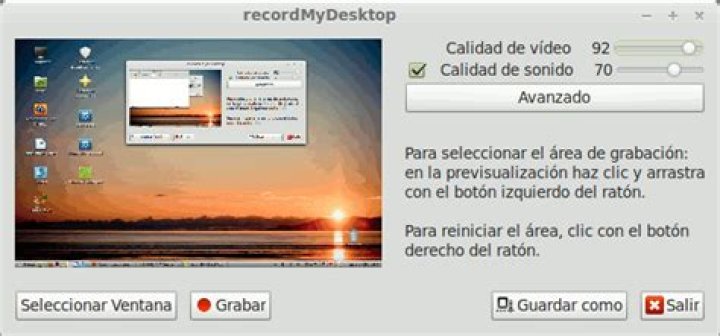
I want to use recordmydesktop in Ubuntu 20.04, and installed it with:
sudo apt-get install recordmydesktopBut when I want to record, by command recordmydesktop it records full screen and save it in the home. But I don't want this. I need to tell recordmydesktop to record an ara or window to record. not full screen. and it's so hard to do this by command line!! I searched in google and I just saw this command. But it doesn't work.
sudo apt-get install gtk-recordmydesktopand give me this error:
Reading package lists... Done
Building dependency tree
Reading state information... Done
Package gtk-recordmydesktop is not available, but is referred to by another package.
This may mean that the package is missing, has been obsoleted, or
is only available from another source
E: Package 'gtk-recordmydesktop' has no installation candidate
I use ubuntu 20.04. What should I do??
3 Answers
It is because of it is obsoleted and currently not supported. You could install it by enabling some older repository (deb eoan main universe for example) which contain it or download its packages from there. Enabling other ubuntu version repository should be immediately disabled just after installing. But it is a bad way which could break your system. Better use newer supported software.
Vokoscreen records a desktop, a window and an area:
sudo apt install vokoscreenOr use vokoscreenNG:
sudo apt install vokoscreen-ngIt is installable by using packages from Ubuntu 18.04 LTS:
cd ~/Downloads
wget
wget
sudo apt-get install ./python-gtk2_2.24.0-5.1ubuntu2_amd64.deb ./gtk-recordmydesktop_0.3.8-4.1ubuntu1_all.debIgnore this if you got gtk-recordmydesktop to work. I only add an alternative in case someone of you could not.
A solution that works well for me is the light-weight simple screen recorder. It is in the Ubuntu-repositories and can be installed the usual way,
sudo apt update
sudo apt install simplescreenrecorder
There is also a 32 bit OpenGL version that works on 64 bit systems. More information for this screen recorder can be found here:
1

